












Sponsored by:


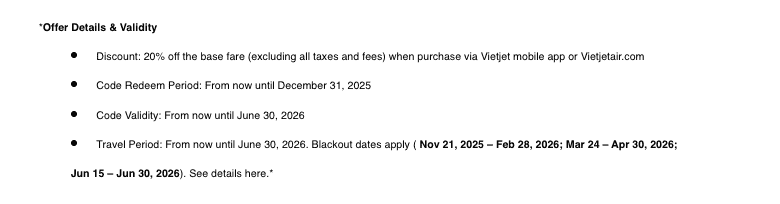
Receive e-voucher
To receive the e-voucher, you must Log in or Register now for an evoucher.vietjetair.com account. When registering, provide your full name, phone, and email. This email must exactly match the registered address provided by your organization or group (NPL)
The e-voucher will be sent directly to your email address
How to buy ticket with the e-voucher*
Step 1: Go to the vietjetair.com or Vietjet mobile app.
Step 2: Enter your flight details (destination, travel dates, etc.)
Step 3: Enter the given code into the “Promotion code” box.
Step 4. Check the “Find lowest fare” then click “Let’s go”, and continue your booking journey.